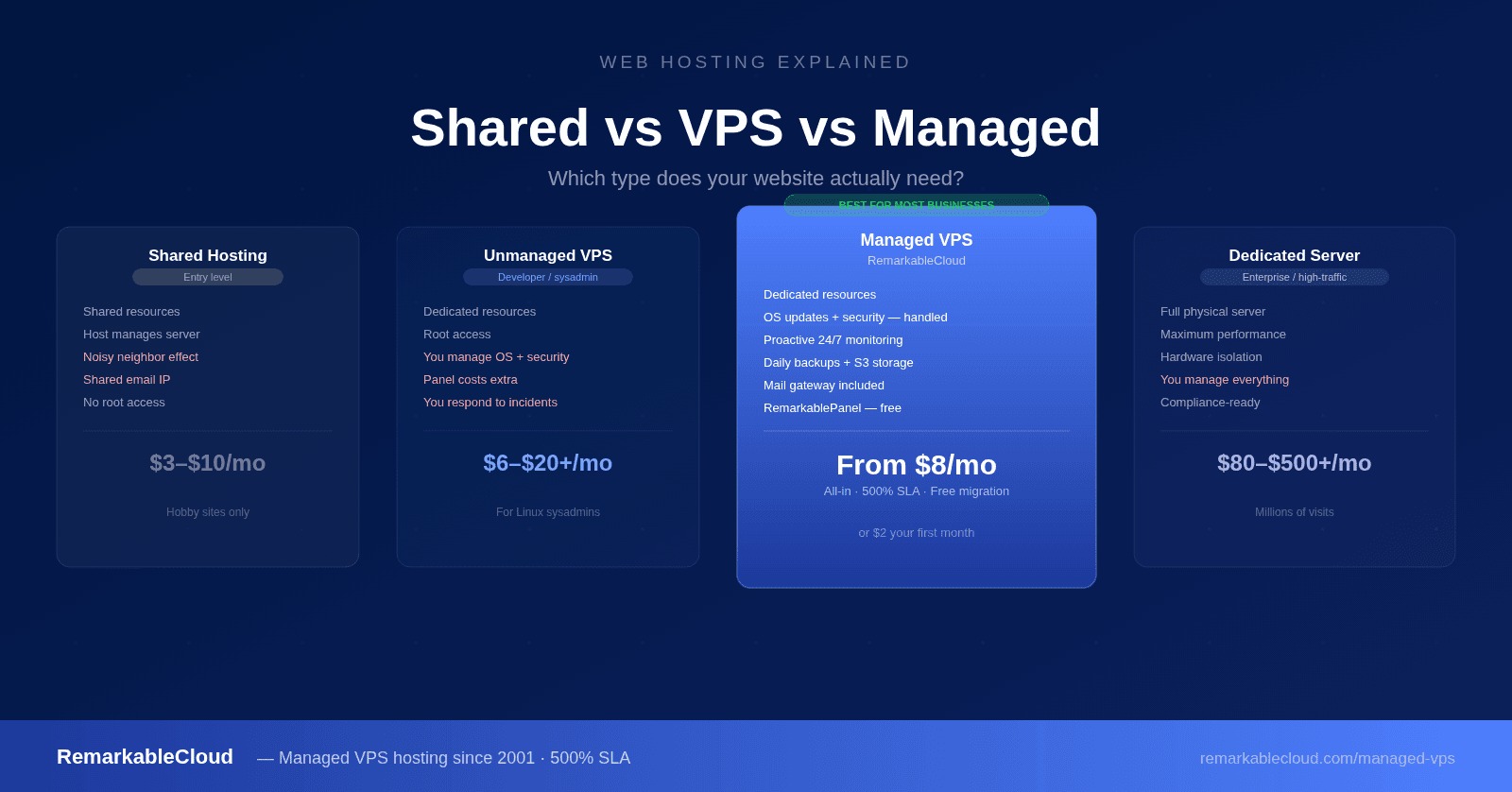
Web hosting explained: shared vs VPS vs managed — which do you need?
Web hosting is the infrastructure that makes your website accessible on the internet. Every website lives on a server — a computer that stores your files, runs your code, and responds to requests from visitors around the world. The type of hosting you choose determines how much of that server you share, how much control you have, and who is responsible for keeping it running.
The choices can feel overwhelming: shared hosting, VPS, cloud hosting, dedicated servers, managed hosting. This guide cuts through the noise and explains exactly what each type means, who it's for, and how to decide which one your website actually needs right now.
- Shared hosting is cheap but you share server resources with hundreds of other sites — performance and security are unpredictable.
- VPS hosting gives you dedicated resources but requires you to manage the server yourself.
- Managed VPS combines dedicated resources with a team that handles all operations — updates, security, backups, and support.
- Most growing businesses outgrow shared hosting faster than they expect and are better served by managed VPS from the start.
What is web hosting?
When someone types your domain into a browser, that request travels across the internet to find a server — a physical computer in a data center — that holds your website's files. The server reads the request, processes it, and sends back the HTML, CSS, images, and data that make up your page.
Web hosting is the service of providing that server space and the network connection that lets visitors reach it. The hosting provider owns the hardware, maintains the data center, and connects the servers to the internet. What you're paying for is access to that infrastructure — either a small piece of it (shared hosting) or your own allocated portion (VPS or dedicated).
The differences between hosting types come down to three questions: how much of the server do you get to yourself, who manages what's running on it, and what happens when something goes wrong.
The main types of web hosting
Hundreds of websites share one server's CPU, RAM, and disk. Cheapest option but slowest and least secure. Good for hobby sites and low-traffic blogs.
Dedicated portion of a physical server. You get guaranteed CPU and RAM. Faster and more secure than shared, but you manage the server yourself.
Entire physical server to yourself. Maximum performance and control. Expensive. Required for very high-traffic sites with specific hardware needs.
VPS-level dedicated resources with a team that handles all operations — updates, monitoring, backups, security. You focus on your site, not the server.
Shared hosting: what you're actually getting
Shared hosting puts your website on the same server as hundreds — sometimes thousands — of other websites. You share the CPU, RAM, disk I/O, and network bandwidth with all of them. The hosting company manages the server entirely, and you have access only to your own files and databases through a control panel like cPanel.
The appeal is price: shared hosting plans start at $3–$10/month and require no technical knowledge. The problems become apparent quickly:
- Noisy neighbor effect: if another site on your server gets a traffic spike, your site slows down. You have no control over this.
- Security exposure: a vulnerability in one site on the shared server can affect others. Shared hosting is the most common vector for site compromises.
- Resource limits: most shared hosts throttle CPU and memory aggressively. A WordPress site with more than a few thousand monthly visitors starts hitting limits.
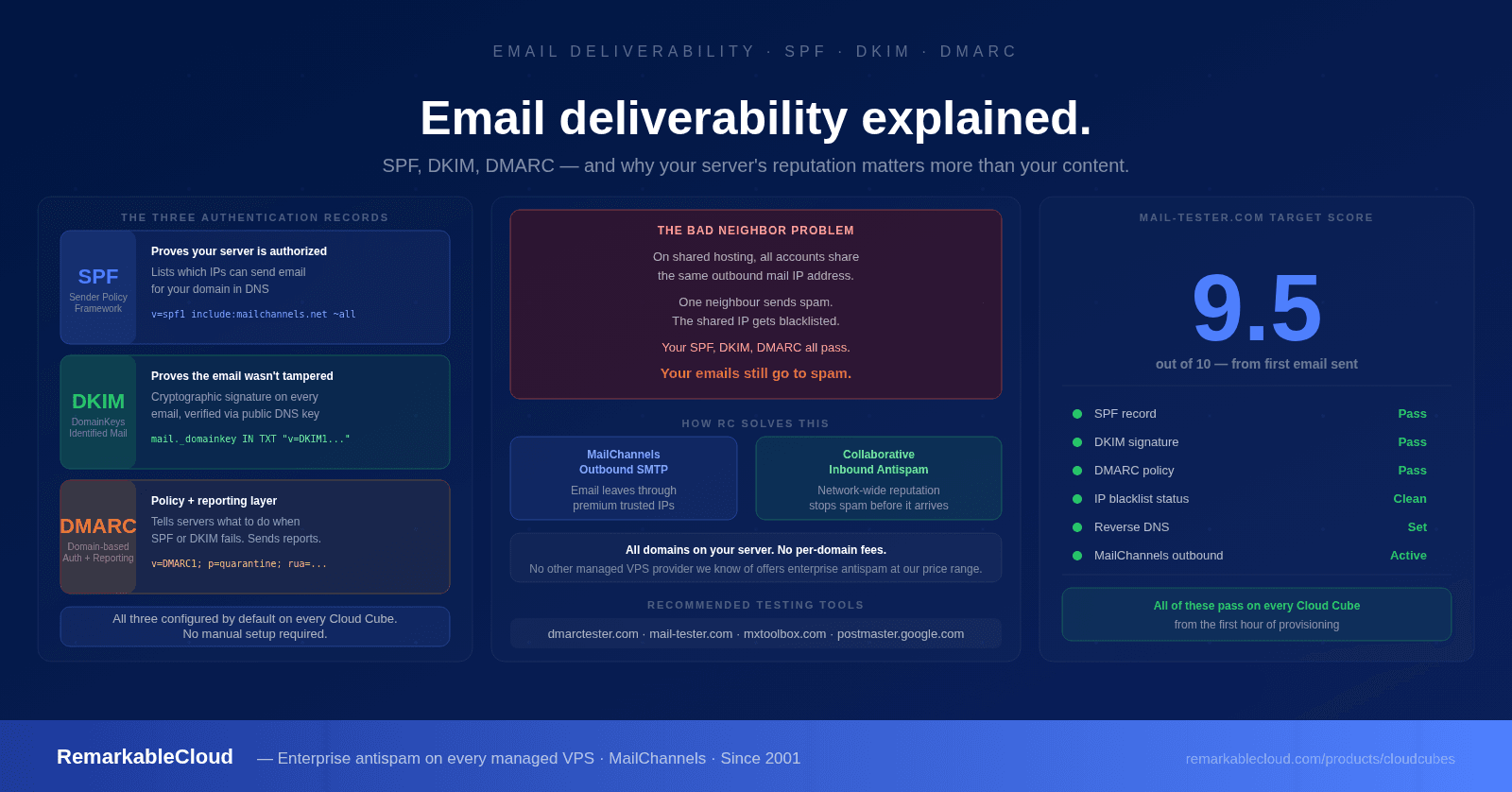
- Email deliverability: your outbound email shares an IP address with every other site on the server. If any of them send spam, your emails land in spam too.
Shared hosting makes sense for static brochure sites, personal blogs with minimal traffic, or development environments where cost is the only consideration. It is not a long-term foundation for a business.
VPS hosting: more control, more responsibility
A VPS (Virtual Private Server) uses virtualization to carve a physical server into isolated virtual machines. Your VPS gets a guaranteed allocation of CPU cores, RAM, and storage that no other customer can touch. You have root access — the ability to install any software, configure the server however you want, and control every aspect of the environment.
VPS hosting is a significant step up from shared hosting in both performance and security. The isolation means your site isn't affected by what other customers do on the same physical hardware.
The trade-off is operational responsibility. On an unmanaged VPS, everything that runs on that server is your problem:
- OS security patches and kernel updates
- Firewall configuration and intrusion detection
- Setting up and monitoring backups
- Mail server configuration and IP reputation management
- Responding to incidents — at any hour
- Installing and maintaining a control panel (licensed separately, typically $15–$25/month)
For a developer or sysadmin who knows Linux well, an unmanaged VPS is excellent value. For a business whose core work isn't server administration, that operational overhead — typically 10–15 hours per month — represents a significant hidden cost.
Managed VPS: dedicated resources without the operational overhead
Managed VPS gives you everything a standard VPS offers — dedicated CPU, RAM, and storage, full isolation, root access — plus a team that handles the operational layer on your behalf. OS updates happen automatically. Security monitoring runs continuously. Backups are taken daily and stored offsite. If something breaks, someone fixes it — usually before you even notice.
This is the hosting type that makes the most sense for businesses, web agencies managing client sites, and developers who want control over their application environment without managing the infrastructure underneath it.
What separates genuinely managed hosting from nominal management is proactive vs reactive operations. A reactive host responds when you report a problem. A proactive host catches the disk filling up, the runaway process, or the suspicious login attempt before it causes downtime. The difference in practice is whether your server incidents wake you up at 2 AM or never reach you at all.
RemarkableCloud's fully managed VPS includes proactive monitoring, OS updates, security, backups, mail gateway, and 24/7 sysadmin support on every plan. 500% SLA from day one.
See what's included →Cloud hosting and dedicated servers
Cloud hosting
Cloud hosting runs your site across multiple servers in a provider's infrastructure, typically with automatic scaling when traffic spikes. Popular cloud platforms include AWS, Google Cloud, and Azure. The flexibility is real — you can scale resources up or down on demand — but the complexity and cost at scale are significant. Cloud platforms are also unmanaged: you provision instances, configure networking, set up databases, and operate everything yourself. For most small to medium businesses, the operational complexity of cloud platforms outweighs the flexibility benefits.
Dedicated hosting
A dedicated server gives you an entire physical machine to yourself — no virtualization layer, no shared hardware. Every CPU core, every GB of RAM, every bit of disk I/O belongs to you. This level of isolation and raw performance is necessary for very high-traffic sites, applications with specific hardware requirements, or businesses with strict compliance requirements around data isolation. Dedicated hosting is expensive ($100–$500+/month) and unless managed, requires deep operational expertise.
Comparing all types side by side
| Feature | Shared | Unmanaged VPS | Managed VPS | Dedicated |
|---|---|---|---|---|
| Dedicated resources | No | Yes | Yes | Yes |
| Server management | Host handles | You handle | Host handles | You handle |
| Security monitoring | Basic | You set up | Proactive | You set up |
| Backups | Often extra | You configure | Daily, automatic | You configure |
| Mail gateway | Shared IP | You manage | Included | You manage |
| Control panel | Included | Extra cost | Included | Extra cost |
| 24/7 sysadmin support | No | No | Yes | Rarely |
| Entry price | $3–$10/mo | $6–$20/mo | $8–$40/mo | $80–$500+/mo |
| Good for | Hobby sites | Developers/sysadmins | Most businesses | High-traffic enterprise |
How to choose the right hosting type
You need shared hosting if:
- You're building a personal site or blog with very low traffic
- You're testing a new project and cost is the only consideration
- You have no budget for anything else and understand the limitations
You need unmanaged VPS if:
- You're an experienced Linux sysadmin and want full control
- You're running development or staging environments
- Managing the server is part of your job and you don't want to pay someone to do what you can do yourself
You need managed VPS if:
- You run a business and server administration isn't your core skill
- You manage client sites and need reliable infrastructure without ops overhead
- You've outgrown shared hosting and need better performance and security
- You need email to work reliably without configuring mail servers
- You want accountability — someone responsible when something goes wrong
- Your time is worth more than the cost difference vs unmanaged
You need dedicated hosting if:
- Your site receives millions of monthly visits
- You have compliance requirements that mandate physical isolation
- Your application has specific hardware requirements that virtualization can't meet
What to look for in a managed VPS provider
Not all "managed" hosting is equal. The term is widely used and inconsistently defined. Here's what genuinely managed hosting should include — and what questions to ask before signing up:
- Proactive monitoring: does your host catch and fix issues before you notice them, or do they respond after you file a ticket?
- OS updates and security patches: are these applied automatically and promptly, or is that your responsibility?
- Backups: daily snapshots, offsite storage, and tested restore capability — not just "backups available as an addon"
- Mail gateway: inbound and outbound filtering should be included — not a $15–$30/month addon. A managed host should ensure your emails land in inboxes.
- SLA with real teeth: a 99.9% uptime SLA only triggers after 43 minutes of downtime per month. Look for a provider that credits downtime from minute one.
- 24/7 human support: real system administrators available at any hour — not a ticketing system staffed during business hours.
RemarkableCloud includes all of the above on every Cloud Cube plan — monitoring, OS management, daily backups with free S3 storage, MailChannels SMTP + Rspamd mail gateway, and 24/7 sysadmin support. The 500% SLA credits you 5× any downtime duration, automatically, from minute one.
Web hosting that actually manages.
RemarkableCloud's managed VPS starts at $2 your first month. Dedicated resources, full operations team, 500% SLA, free control panel, free mail gateway — everything included, no addons required.
See managed VPS plans