AI tools for web hosting businesses in 2026: what actually works
AI is genuinely useful for hosting businesses in 2026. Not in the vague "AI will transform everything" sense, but in the specific, practical sense of: this tool does this task better and faster than doing it manually. The challenge is separating what works from what doesn't, and knowing which tasks are worth automating versus which still require a human.
This guide covers the concrete use cases where AI adds real value for hosting providers, web agencies, and resellers: support, monitoring, content, security, deliverability, and client communication. For each one, we'll cover what the AI actually does, which tools handle it best, and where the limits are.
- Web agencies managing hosting for 10 to 100+ client sites
- Hosting resellers running a hosting business on a managed VPS
- Developers who maintain client infrastructure alongside their other work
- Small hosting providers without a full-time ops team
1. Support ticket drafting and response
Support responses for hosting clients follow patterns: site down, email not delivering, SSL expired, WordPress broke after an update, DNS not propagating. For any of these, AI can draft a clear, accurate first response in seconds — including the diagnostic steps to ask the client, the likely cause, and the resolution path.
The practical workflow is: client submits ticket, you paste the issue into Claude or ChatGPT with a brief prompt ("client's site returning 500 error after WP update, write a first response asking for the right details"), review the draft, send it. Total time: under 2 minutes instead of 8.
AI doesn't replace knowing the answer. It handles the writing, structuring, and professional tone that takes time when you're handling 20 tickets in a day.
Every resolved support ticket is a potential knowledge base article. AI can take a closed ticket thread and turn it into a clean, structured article in seconds: problem description, cause, step-by-step resolution, prevention tips. Doing this consistently for 3 months builds a knowledge base that deflects the 80% of tickets that are repeat issues.
This also directly reduces your CAC over time: clients who self-serve stay longer and require less support overhead. The knowledge base becomes a selling point as much as a cost reduction.
2. Server monitoring and incident communication
Server logs contain everything you need to diagnose most incidents. The problem is volume: a busy server generates thousands of log lines per hour, and finding the relevant entries requires either experience or time. AI is good at both summarizing and interpreting log output when you paste it in context.
The practical use is diagnostic: something is slow or broken, you pull the relevant log segment (Nginx error log, PHP-FPM log, MySQL slow query log), paste it into Claude or ChatGPT, and ask what's causing the problem. For common patterns — resource exhaustion, misconfigured rewrites, authentication failures — the interpretation is accurate and immediate.
When something goes wrong, clients need clear communication — not technical jargon, not vague reassurance. AI drafts incident status updates well: plain-English description of the issue, impact scope, current status, and estimated resolution. The tone is consistent and professional without requiring you to stop and think about wording while you're also trying to fix the problem.
Prompt structure: "Write a client status update for a database outage affecting 3 client sites. Cause identified as full disk. Estimated resolution 30 minutes. Tone: calm, direct, no jargon."
3. Content and SEO for client sites
For agencies managing content alongside hosting, AI has fundamentally changed content economics. A blog post that took 4 hours to research and write now takes 45 minutes with AI doing the first draft. The human work shifts from writing to editing, fact-checking, and adding the specific knowledge that makes content useful rather than generic.
The practical limit is quality control. AI-generated content without human review is detectable and often mediocre. AI-assisted content, where a knowledgeable person guides the outline, edits for accuracy, and adds specific detail, produces content that's genuinely better than average while taking a fraction of the time.
AI is useful for interpreting technical SEO issues that most clients don't understand. When a site has crawl issues, structured data errors, or Core Web Vitals problems, AI can explain the issue in plain language and suggest fixes that a non-technical client can actually act on. For agencies, this means the SEO report you send to clients is comprehensible rather than a wall of technical output.
More practically: paste a Screaming Frog crawl export or a GSC error report into Claude and ask it to prioritize the most impactful fixes. It can sort signal from noise in a way that saves hours per client.
4. Email deliverability troubleshooting
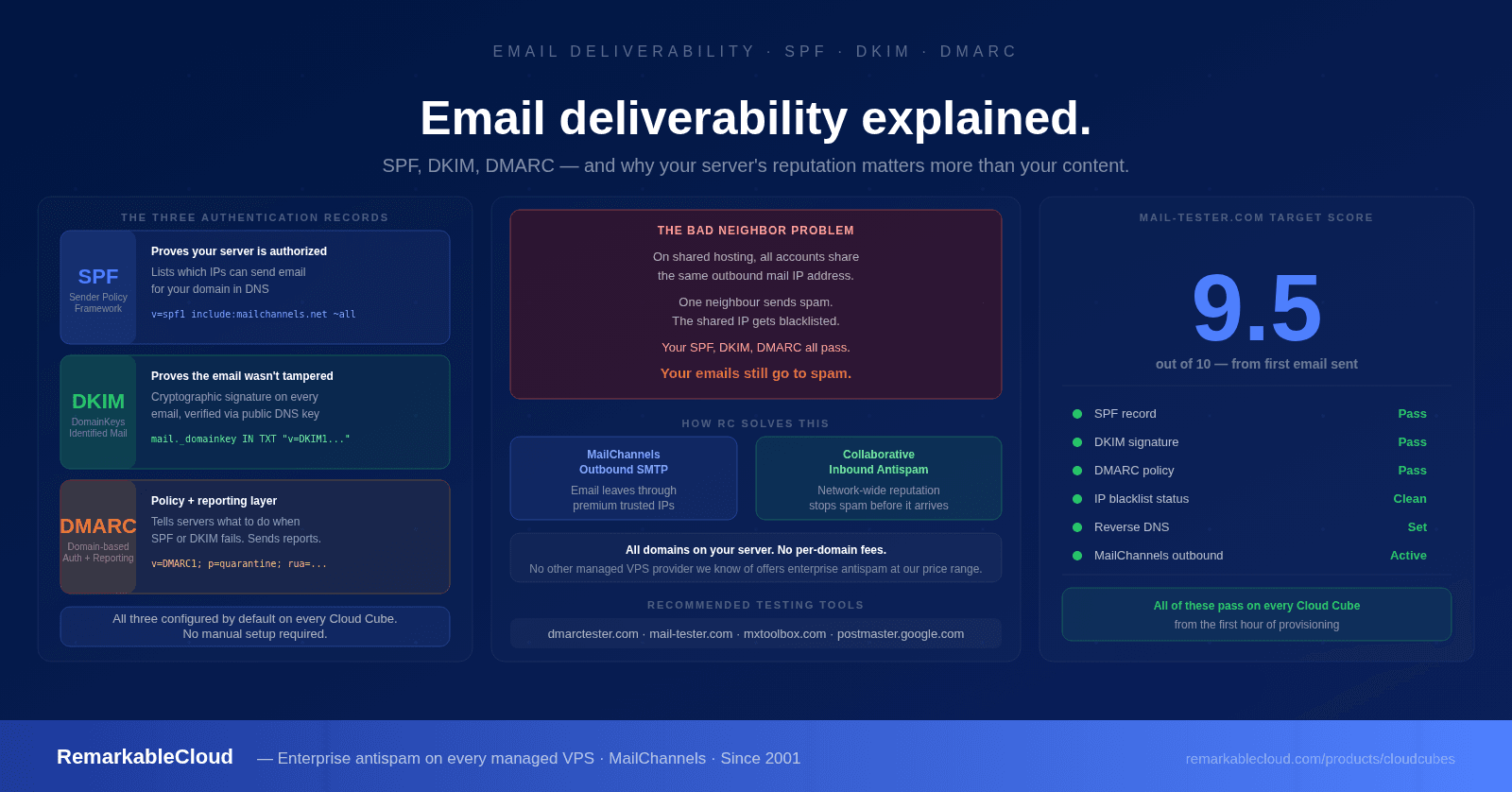
Email deliverability issues are common and frustrating for clients to understand. SPF misconfigurations, DKIM selector problems, DMARC policy failures, and blacklist listings all have specific diagnostic outputs that AI interprets well. Paste the output of a mail tester report or a DMARC aggregate report and ask what's wrong — the diagnosis is usually accurate and the fix is clearly explained.
This is one of the highest-value AI use cases for hosting businesses specifically because email issues are frequent, the configuration is technical, and clients blame the host regardless of where the problem originated. Being able to diagnose and explain quickly saves relationship capital.
5. Security: log analysis and policy drafting
When a site is compromised or under attack, the first question is what happened. Access logs, auth logs, and firewall logs tell the story, but interpreting them under time pressure is difficult. Pasting relevant log sections into AI and asking it to trace the attack vector gives you a fast starting point: what IP, what time, what request pattern, what was accessed.
This doesn't replace a proper forensic investigation for serious incidents. But for the common cases — brute force attempts, WordPress plugin exploits, credential stuffing — AI analysis of the logs gives you the 80% answer fast enough to act on.
Security documentation — acceptable use policies, incident response plans, backup procedures — is important but time-consuming to write from scratch. AI drafts these well given a brief description of your infrastructure and requirements. The output needs review and customization, but starting from a solid draft rather than a blank page reduces a multi-hour task to a 30-minute one.
6. Client onboarding and communication
First impressions in hosting are set in the first 72 hours: did the migration go smoothly, did the client understand what to expect, do they know how to reach support. AI drafts onboarding sequences, welcome emails, and setup guides quickly. Give it your panel interface, your service scope, and your support contact details and it produces clear client-facing documentation that would take hours to write manually.
For resellers running white-label hosting through RemarkablePanel, having professional onboarding documentation sets the tone for the client relationship and reduces early support volume from clients who don't know where to start.
The tools in practice: quick comparison
| Use case | Best tool | Why |
|---|---|---|
| Support drafting, log analysis, documentation | Claude | Strong technical reasoning, long context window, handles log dumps well |
| Content drafts, quick explanations | ChatGPT | Fast, good for iterative back-and-forth, wide familiarity |
| Research, current information | Perplexity | Web-connected by default, cites sources, good for fact-checking |
| Google Workspace integration | Gemini | Native integration with Gmail and Docs reduces copy-paste friction |
| Sensitive log analysis | Local model (LLaMA, Mistral) | Data never leaves your infrastructure |
| Automated support at scale | Intercom Fin, Zendesk AI | Built into existing support workflows, handles volume |
What AI does not replace
It's worth being direct about the limits, because the gap between "AI can assist with X" and "AI can replace X" matters operationally.
- Proactive monitoring. AI interprets log data you provide. It doesn't watch your server in real time, detect an emerging issue at 2am, or take corrective action before a client notices. Proactive monitoring is infrastructure, not a chat interface.
- Server management expertise. AI can explain what a kernel panic means or how to read a top output. It cannot apply a security patch, tune a MySQL configuration under load, or migrate a cPanel server without data loss. These require hands-on expertise and accountability.
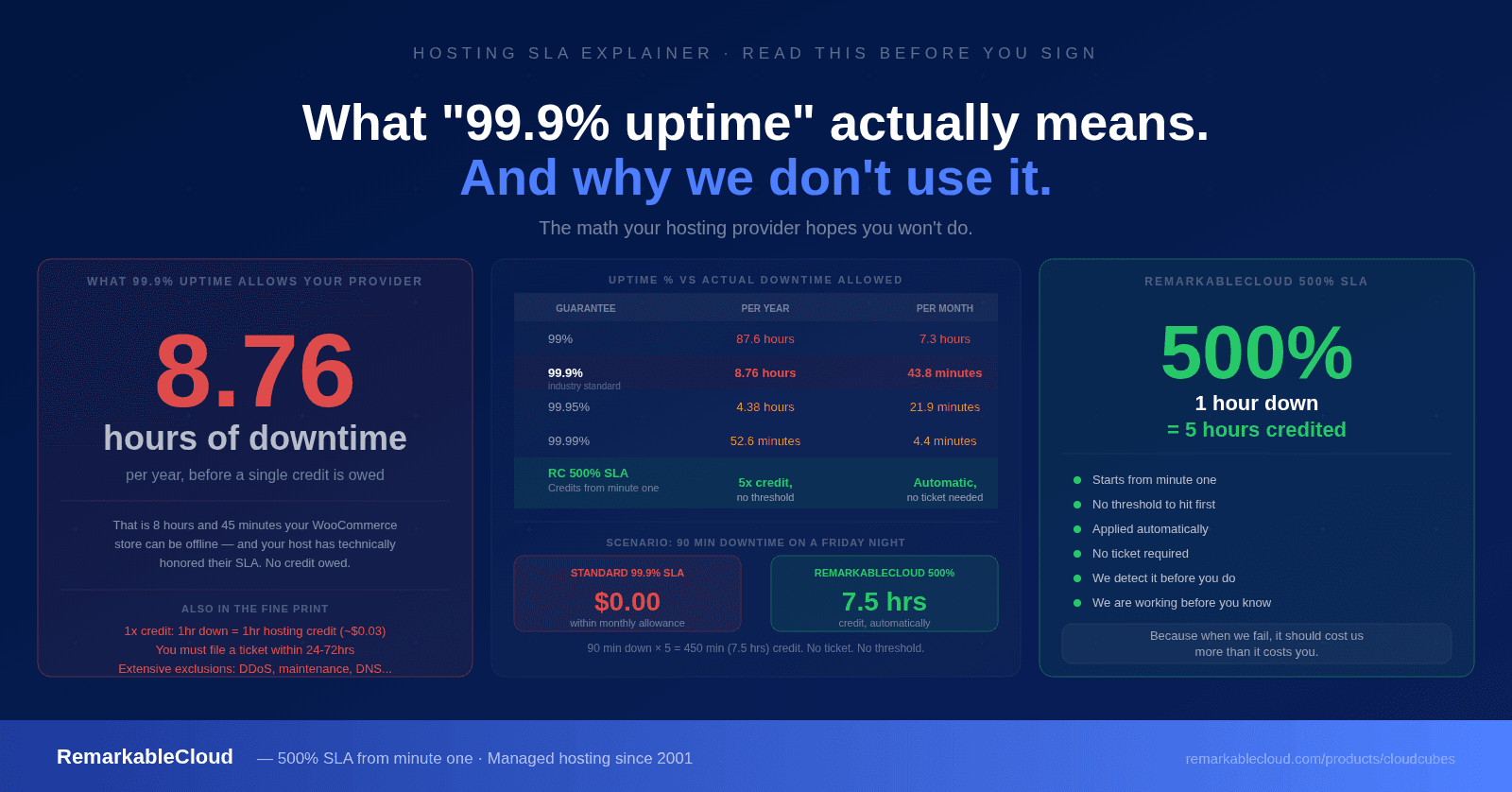
- Accountability under an SLA. When a server is down, "I used AI to diagnose it" is not a client commitment. The 500% SLA that comes with a managed VPS is a financial accountability structure that no AI tool replicates.
- Long-term institutional knowledge. A team that has managed servers since 2001 has dealt with failure modes, edge cases, and migration scenarios that don't appear in any training dataset. That accumulated knowledge is the actual product of managed hosting.
AI handles the writing and the interpretation. RemarkableCloud handles the server: proactive monitoring, 24/7 management, 500% SLA. The two work together.
See what's included →Let AI handle the communication. Let us handle the server.
Fully managed VPS with proactive monitoring, daily backups, free mail gateway, and human support since 2001. From $2 your first month.
See managed VPS plans