
Ransomware and backups: what actually gets your data back
On this page
- Ransomware is now in nearly half of breaches
- Backups are still the main way back
- Compromised backups make everything worse
- Confidence is not the same as recovery
- What this means if you run a site or a server
- A backup check you can run this week
- How this works on a RemarkableCloud server
- Methodology
- Questions and answers
- Sources and references
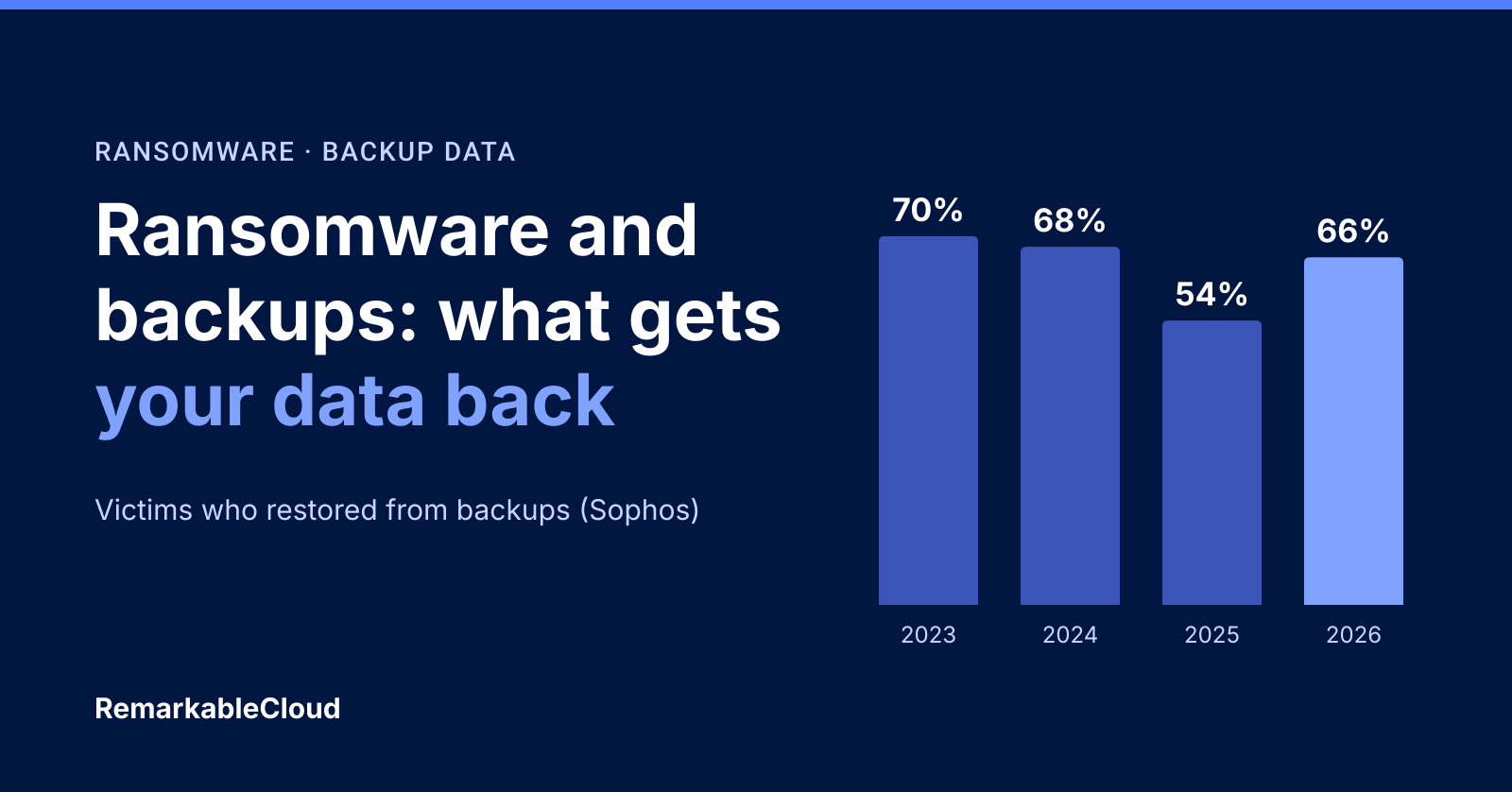
Ransomware was involved in 48% of the breaches Verizon analyzed for its 2026 Data Breach Investigations Report, up from 44% a year earlier. Among organizations whose data was encrypted, the most common way back was not paying. It was restoring from backups: 66% did that in Sophos’s 2026 survey.
But backups only help if they survive the attack, and attackers know it. When they managed to compromise the backups, victims were far more likely to pay, paid more, and took longer to recover.
This article goes through the 2025 and 2026 numbers from Sophos, Verizon and Veeam, what they mean for a small team running websites and servers, and a backup check you can run this week.
Ransomware is now in nearly half of breaches
| DBIR edition | Breaches involving ransomware | Median ransom paid | Victims who did not pay |
|---|---|---|---|
| 2024 | 32% | ||
| 2025 | 44% | $115,000 | 64% |
| 2026 | 48% | $139,875 | 69% |
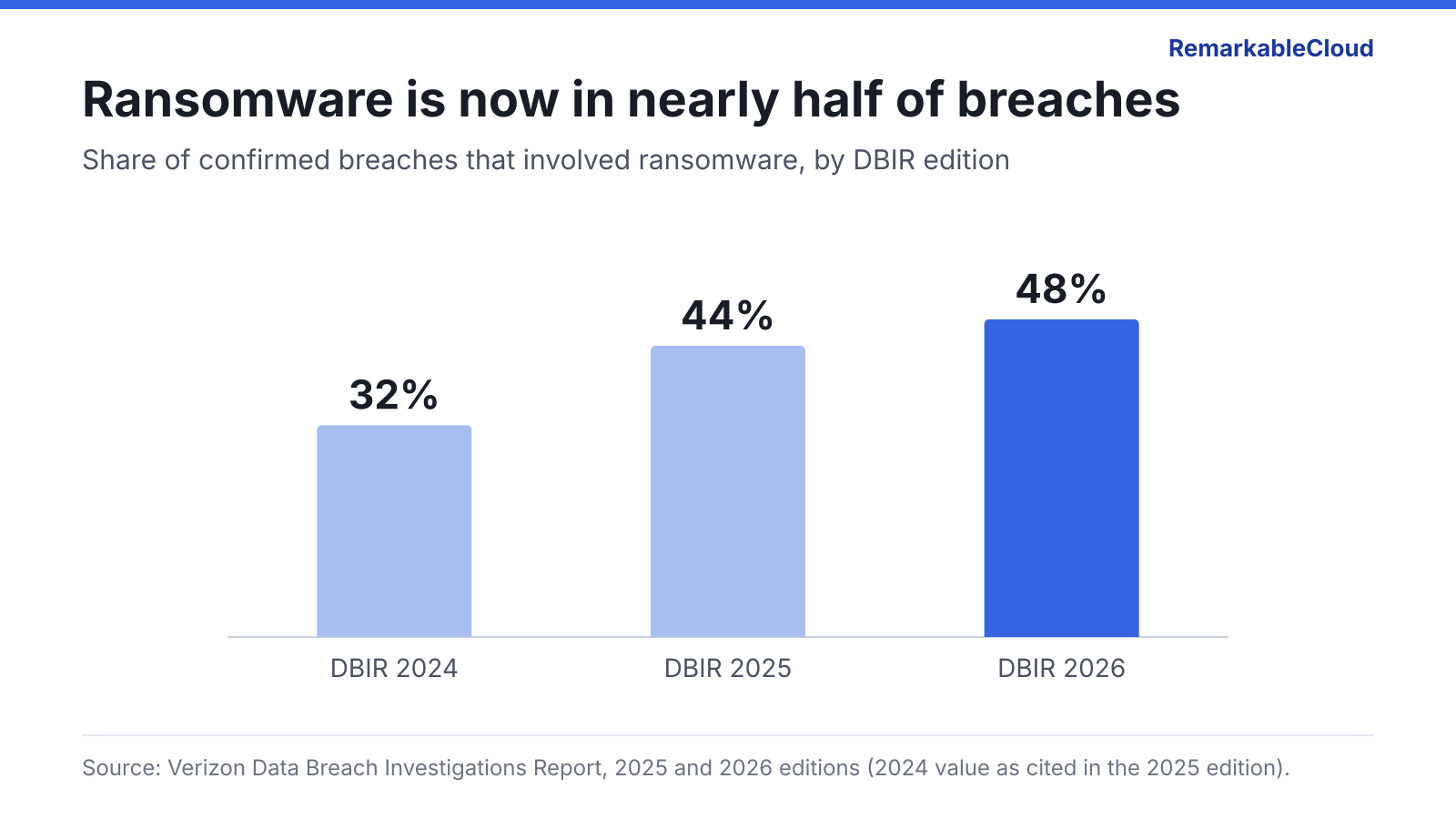
Verizon’s report is built from tens of thousands of real incidents and breaches, not a survey. The 2026 edition covers more than 22,000 breaches from October 2024 to November 2025. Ransomware was present in 48% of them.
Small businesses carry most of it. Where the victim’s size was known, about 96% of ransomware victims in the 2026 report were small and medium businesses. In the 2025 edition, ransomware showed up in 88% of breaches at SMBs against 39% at large organizations.
The good news in the same data: more victims refuse to pay. 69% of ransomware victims in the 2026 report did not pay, up from 64% the year before. Coveware, which works on ransomware cases, said in October 2026 that nearly 80% of the incidents it sees are now resolved without a payment. Refusing to pay is only realistic, though, when you have another way to get your data back.
Backups are still the main way back
| Year | Restored from backups | Paid the ransom |
|---|---|---|
| 2020 | 56% | 26% |
| 2021 | 57% | 32% |
| 2022 | 73% | 46% |
| 2023 | 70% | 46% |
| 2024 | 68% | 56% |
| 2025 | 54% | 49% |
| 2026 | 66% | 48% |
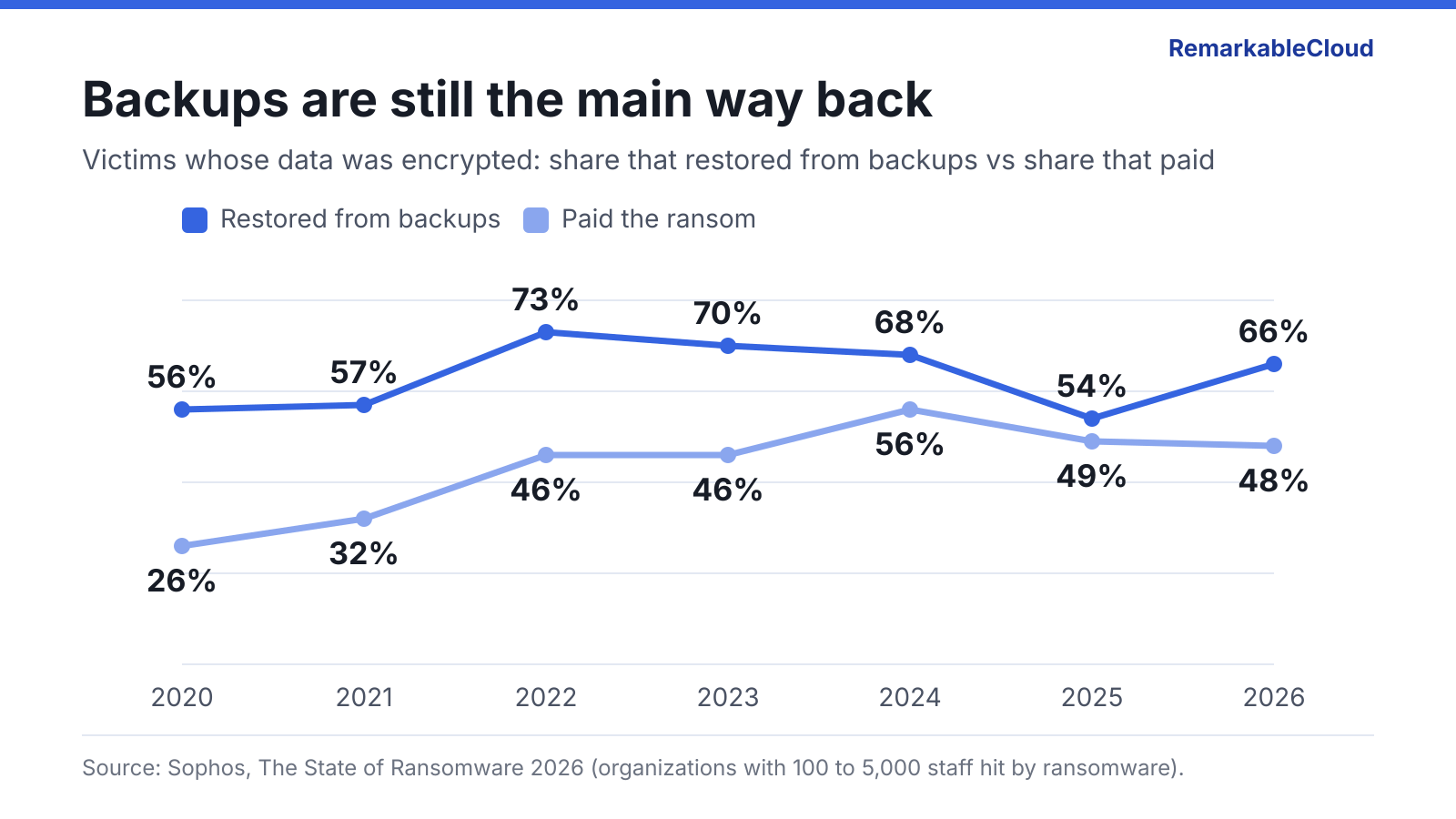
Sophos surveys organizations with 100 to 5,000 employees that were hit by ransomware in the previous year. Its 2026 edition (2,158 respondents, surveyed January to March 2026) found that backup-based recovery “surged to 66% of attacks where data was encrypted”. A year earlier it had dropped to 54%, which Sophos called the lowest in six years.
Since 2022 the two lines have added up to more than 100%, because many victims do both: they restore what they can from backups and pay for the rest. That is the pattern to avoid. If your backups cover everything and you can restore them quickly, the ransom has nothing to buy.
Other 2026 numbers from the same survey: data was encrypted in 56% of attacks, 55% of victims were fully recovered within a week, and only 2% got no data back at all.
Compromised backups make everything worse
| Outcome | Backups compromised | Backups not compromised |
|---|---|---|
| Data encrypted | 85% | 52% |
| Paid the ransom | 67% | 36% |
| Fully recovered within a week | 26% | 46% |
| Median ransom payment | $2 million | $1.062 million |
| Median recovery cost | $3 million | $375,000 |
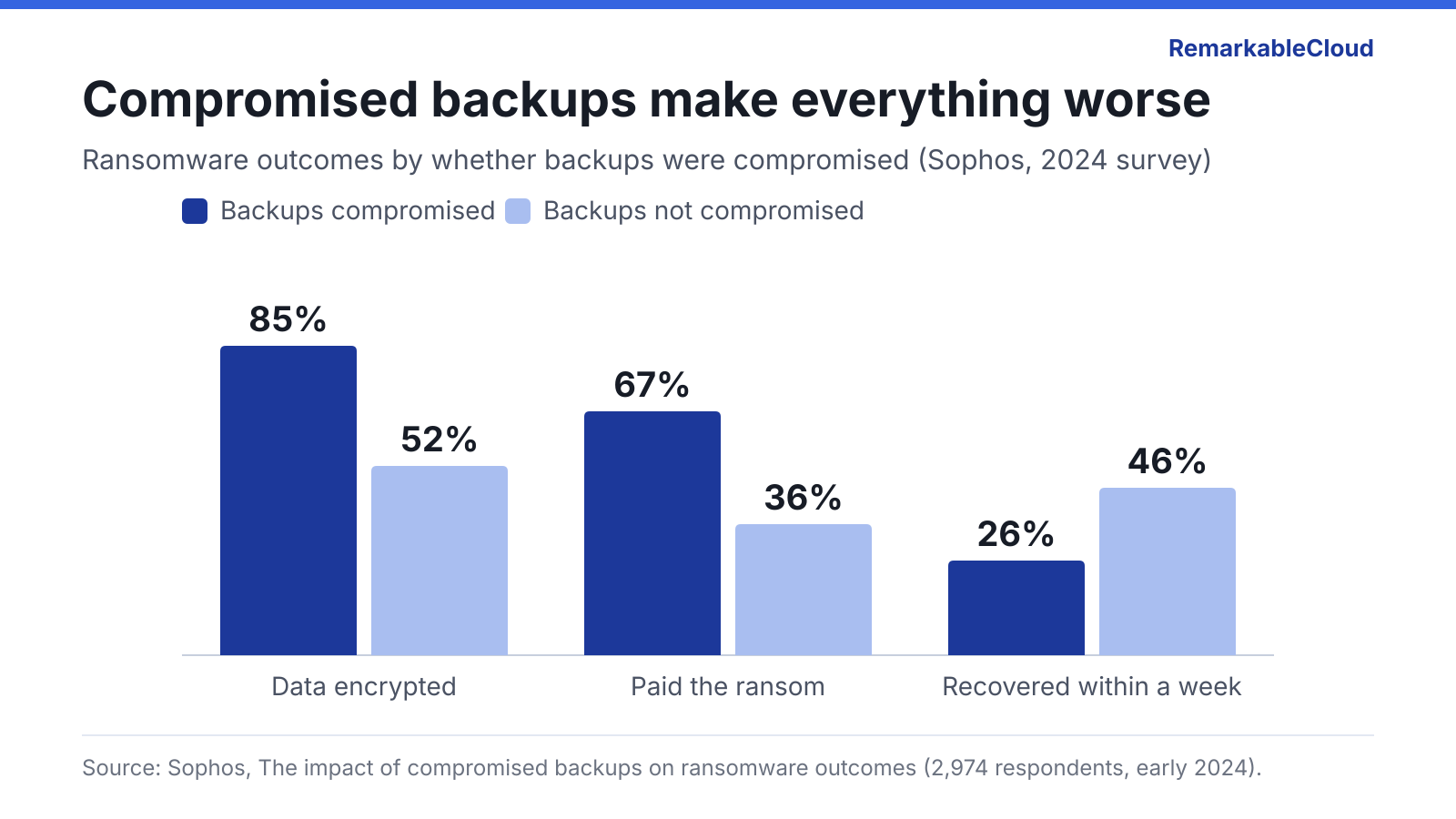
In a separate Sophos study of 2,974 ransomware victims surveyed in early 2024, 94% said the attackers tried to compromise their backups during the attack, and 57% of those attempts succeeded.
The difference in outcomes is stark. Victims whose backups were compromised were almost twice as likely to pay (67% against 36%), and their median recovery cost was eight times higher ($3 million against $375,000). Only 26% were fully back within a week.
The reason is simple. Ransomware groups don’t just encrypt servers; they look for the backup system, the backup credentials and any storage the infected machine can reach, and delete or encrypt it first. CISA’s ransomware guide says it plainly: “many ransomware variants attempt to find and subsequently delete or encrypt accessible backups.” A backup that the same admin password can delete is not a backup during an attack.
Confidence is not the same as recovery
| Measure (Veeam, 2026) | Value |
|---|---|
| Organizations confident they could recover | 90% |
| Share of affected data recovered, on average | 72% |
| Organizations that fully recovered | 28% |
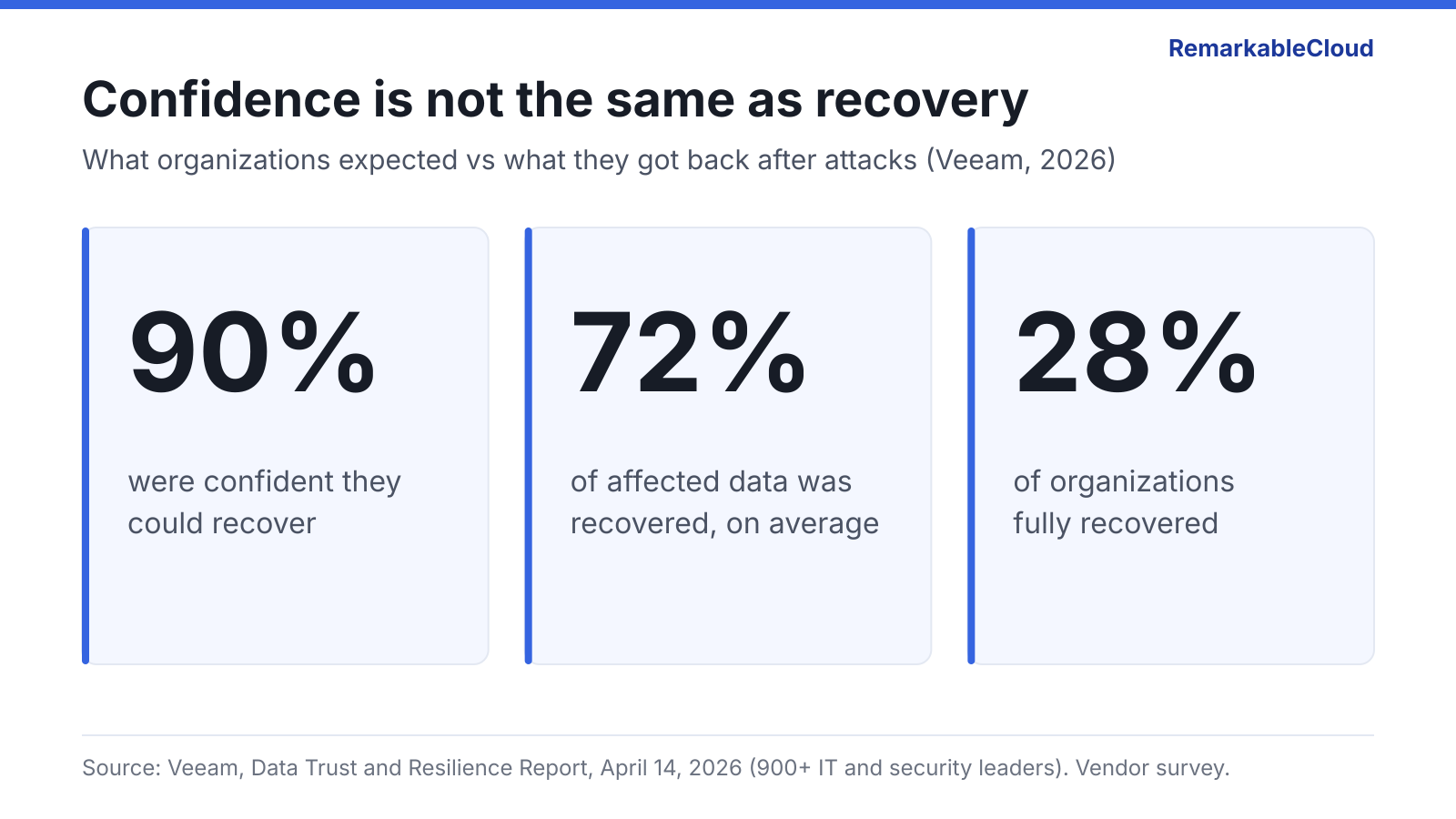
Veeam’s April 2026 report surveyed more than 900 IT and security leaders. Nine in ten were confident they could recover from an attack. The organizations that had been hit recovered 72% of affected data on average, and only 28% recovered fully.
Veeam sells backup software, so it has a reason to stress this gap. But the pattern is consistent with its earlier reports: in 2024, one in three organizations that paid the ransom still could not recover their data. Paying is no guarantee, and neither is having a backup job that says “success” every night. The only proof is a restore.
One more limit: backups do not fix data theft. Many attacks now steal data and threaten to publish it. In its Q2 2026 report, Coveware put it in three words for those cases: “Backups are irrelevant.” Backups get your systems running again; they do not get stolen data back.
What this means if you run a site or a server
For a small business, the questions that decide how an attack ends are practical ones:
- Can the attacker delete your backups? If the backups sit on the same server, or in storage the server can write to and delete from with its own credentials, the answer is probably yes.
- Is one copy somewhere else and locked? CISA recommends keeping “offline, encrypted backups” and enabling “delete protection or object lock on storage resources”. Its small business guidance uses the 3-2-1 rule: three copies, on two kinds of media, with one copy stored off-site.
- Have you restored from them recently? CISA’s guidance is to test that your team “can rapidly restore data both fully and partially.” A restore you have never tried is a guess.
- How old is the newest clean copy? If your newest backup is a week old, a week of orders, posts or customer records is gone, even if everything else goes well.
A backup check you can run this week
Adjust the paths to where your backups live. The goal is to prove three things: the backups are recent, they are readable, and you can restore from them.
1. Check that a recent backup exists. This lists archives modified in the last 24 hours.
find /backups -name '*.tar.gz' -mtime -1 -ls2. Check that the archive is readable end to end.
tar -tzf /backups/site-latest.tar.gz > /dev/null && echo "archive OK"3. Restore one file to a scratch folder and compare it.
mkdir -p /tmp/restore-test
tar -xzf /backups/site-latest.tar.gz -C /tmp/restore-test var/www/example.com/wp-config.php
diff /tmp/restore-test/var/www/example.com/wp-config.php /var/www/example.com/wp-config.php && echo "file matches"
4. Restore the database into a scratch database, not the live one.
mysql -e "CREATE DATABASE restore_test"
gunzip < /backups/db-latest.sql.gz | mysql restore_test
mysql -e "SELECT COUNT(*) FROM restore_test.wp_posts"
mysql -e "DROP DATABASE restore_test"
5. If you keep copies in S3-compatible storage, check whether deletion is locked. On AWS S3, Object Lock shows up like this; other providers have their own equivalent.
aws s3api get-object-lock-configuration --bucket my-backup-bucket6. Write down how long the full restore took. That number, not the backup schedule, is how long your site would be down.
7. Separate the keys. The credentials that can delete your off-site copies should not live on the server being backed up. The UK’s NCSC recommends that cloud backups block “any deletion or alteration requests” once they are created.
How this works on a RemarkableCloud server
Every server we sell is fully managed at no extra cost, and every server gets an automatic daily snapshot. You can take extra snapshots whenever you want, for free, for example right before an update or a migration. The firewall and intrusion detection on each server are managed by us and fed by centralized log analysis and live threat data.
For a second, separate line of defense, Dual Backups is one of only two optional add-ons on our servers. If you want help planning your backups or testing a restore, open a ticket and our team will go through it with you.
See how our managed VPS works, or read how fast attackers exploit new flaws for the other half of keeping ransomware out.
Methodology
- Sophos, The State of Ransomware 2026: 2,158 respondents in 17 countries from organizations with 100 to 5,000 employees that were hit by ransomware in the previous year, surveyed January to March 2026 by Vanson Bourne. Backup and payment shares are of attacks where data was encrypted. The 2020 to 2025 values are from the same 2026 report. Sophos sells security products. The smallest businesses are outside the sample.
- Sophos, compromised backups study: 2,974 respondents surveyed in early 2024; the most recent dedicated data we found on backups being targeted. No 2025 or 2026 survey we could open reports this figure.
- Verizon DBIR 2026 and 2025: based on incident and breach case data from Verizon and its contributors. Percentages are of breaches, not of victims. Median ransom figures are as stated in each edition; the 2026 edition cites a different prior-year median than the 2025 edition published, so we do not chart medians as a series. The 2024 share (32%) is as cited in the 2025 edition.
- Veeam 2026 and 2024: vendor surveys of IT and security leaders. Veeam sells backup software.
- Coveware: quarterly reports and blog from its own ransomware casework, which it describes as observed cases, not a representative sample.
- Guidance: CISA #StopRansomware Guide (updated September 2023), CISA’s small business backup page, and the UK NCSC’s principles for ransomware-resistant cloud backups (November 22, 2024).
Questions and answers
How common is ransomware?
Ransomware was present in 48% of the breaches in Verizon's 2026 Data Breach Investigations Report, up from 44% a year earlier. Where victim size was known, about 96% of ransomware victims were small and medium businesses.
Do most ransomware victims pay?
No. 69% of ransomware victims in Verizon's 2026 data did not pay. In Sophos's 2026 survey, 66% of organizations whose data was encrypted restored it from backups.
What happens when attackers compromise the backups?
Outcomes get much worse. In a Sophos study, victims with compromised backups were almost twice as likely to pay (67% against 36%), and their median recovery cost was eight times higher.
What makes a backup survive ransomware?
At least one copy stored somewhere else, which the infected server's credentials cannot delete, plus restores you have actually tested. CISA recommends offline, encrypted backups and delete protection or object lock on storage.
Do backups help if data was stolen?
No. Backups get systems running again, but they do nothing about stolen data that attackers threaten to publish.
Sources and references
- Sophos, State of Ransomware 2026 · sophos.com
- Sophos, State of Ransomware 2025 · sophos.com
- Sophos, impact of compromised backups · sophos.com
- Verizon DBIR · verizon.com
- Verizon DBIR 2026 executive summary · verizon.com
- Verizon DBIR 2025 executive summary · verizon.com
- Veeam 2026 report announcement · veeam.com
- Veeam 2024 report announcement · veeam.com
- Coveware Q2 2026 report · veeam.com
- Coveware Q3 2026 payment trends · veeam.com
- CISA #StopRansomware Guide · cisa.gov
- CISA, back up business data · cisa.gov
- NCSC, ransomware-resistant backups · ncsc.gov.uk