The RemarkableCloud Affiliate Program: Earn Up to $300 Per Referral
If you run a blog, a YouTube channel, a web design agency, or any platform where businesses and developers look to you for hosting recommendations — RemarkableCloud's affiliate program pays you a flat commission for every customer you refer, with no recurring percentage games and no minimum traffic requirements.
This article covers exactly how the program works, what you earn per referral, who it's a good fit for, and how to promote RemarkableCloud effectively to your audience.
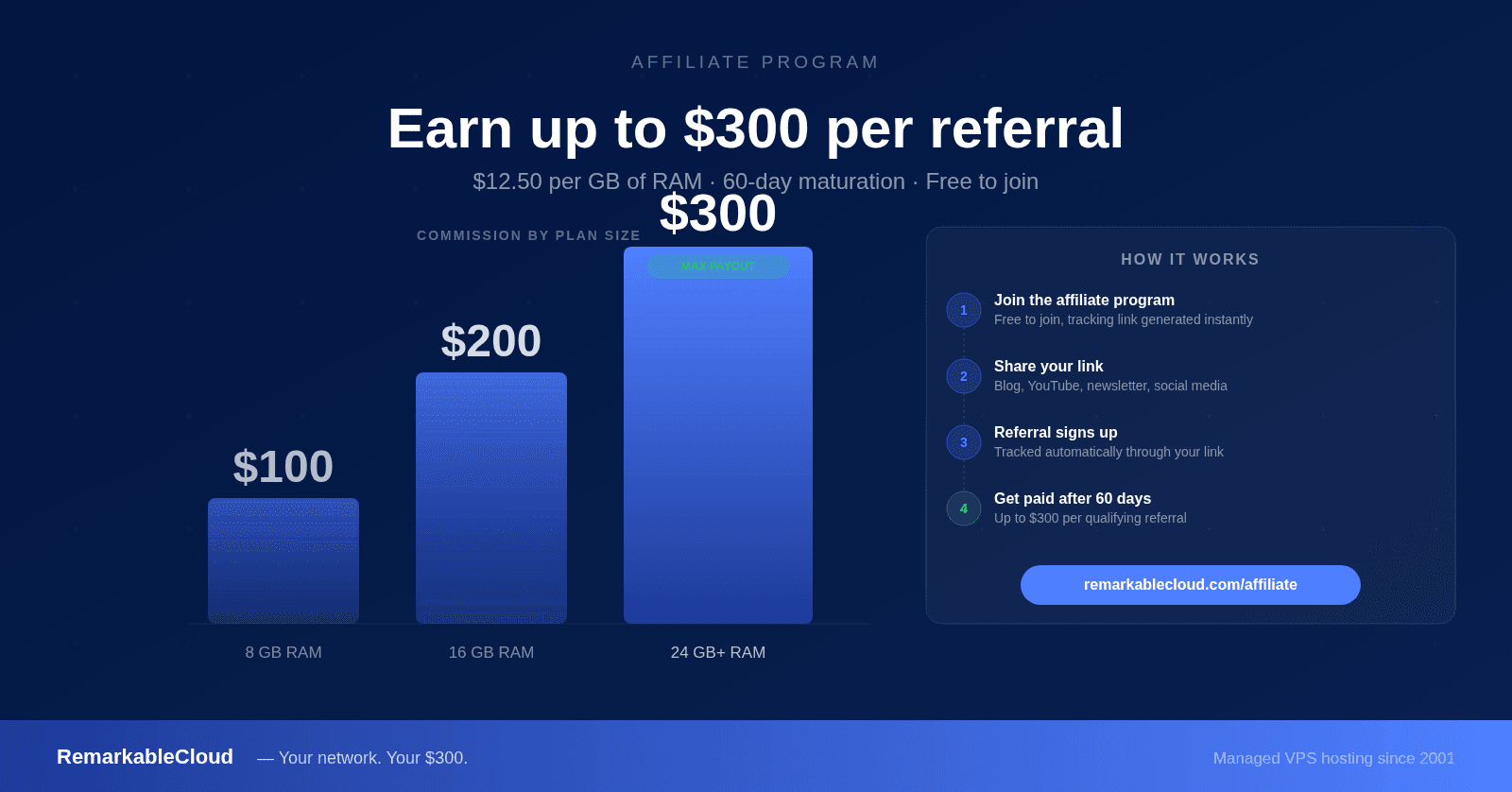
- Commission: $12.50 per GB of RAM purchased on the referred server
- Maximum per referral: $300 (on a 24GB RAM plan or above)
- Minimum server size: 8GB RAM — servers under 8GB are excluded
- Maturation period: 60 days after the referral signs up
- No recurring commissions — one-time payment per referred customer
- Managed via WHMCS — tracking links generated automatically in your affiliate portal
How the commission structure works
Most hosting affiliate programs pay a flat fee regardless of plan size, or a percentage of the first invoice. RemarkableCloud's structure ties your commission to the size of the server your referral purchases — which means recommending larger plans earns you more.
on the referred server
per referral
to qualify for commission
before payout
Commission by plan size
Here's exactly what you earn depending on which Cloud Cube your referral purchases:
| Plan | RAM | Your commission | Server price (base/mo) |
|---|---|---|---|
| Basic 2GB | 2 GiB | Not eligible | $8/mo |
| Basic 4GB | 4 GiB | Not eligible | $16/mo |
| Basic 6GB | 6 GiB | Not eligible | $24/mo |
| Basic 8GB | 8 GiB | $100.00 | $32/mo |
| Shared 8GB | 8 GiB | $100.00 | $36/mo |
| Shared 16GB | 16 GiB | $200.00 | $72/mo |
| Dedicated 8GB | 8 GiB | $100.00 | $40/mo |
| Dedicated 16GB | 16 GiB | $200.00 | $80/mo |
| Dedicated 32GB | 32 GiB | $300.00 (max) | $160/mo |
| Dedicated 48GB+ | 48 GiB+ | $300.00 (max) | $240+/mo |
The $300 cap hits at 24GB RAM — any plan at 24GB or above earns the maximum commission. Plans under 8GB RAM are excluded from the program because the commission wouldn't be meaningful relative to the server price.
The 60-day maturation period
After your referral signs up and pays for their server, there's a 60-day maturation period before your commission is released. This window exists to protect against chargebacks, refunds, and people who cancel within the first month or two.
In practice: refer someone in January, their commission matures in March, you get paid in March. The 60-day window is standard in the hosting affiliate industry and reflects the reality that the most common churn point is the first 30–60 days.
Once a referral passes the 60-day mark, the commission is yours. There's no further requirement — if the customer stays for years, you still only earn the one-time commission, but you also don't have to do anything further to keep it.
Who this program is best suited for
WordPress and web development bloggers
If you write tutorials on WordPress setup, server configuration, cPanel migration, or web hosting comparisons, your audience is actively looking for hosting recommendations. A genuinely useful article about managed VPS hosting — linking to RemarkableCloud — converts well because the people reading it are already in the buying mindset.
Web design and development agencies
If you manage hosting for clients and want to move them to better infrastructure, referring them to RemarkableCloud through your affiliate link means you earn a commission on every client migration. A web agency with 10 clients on 16GB plans earns $2,000 in commissions — once, with no ongoing management required beyond your existing client relationship.
YouTubers and course creators
Video tutorials on server setup, WordPress optimization, and web hosting consistently attract viewers who buy hosting within hours of watching. A well-placed affiliate link in the description of a RemarkableCloud review or comparison video generates commissions long after the video is published.
Developers with a newsletter or social following
Developers who follow you trust your infrastructure recommendations. A single thread on X or a newsletter issue about why you moved to managed VPS — with your affiliate link — reaches exactly the right audience: people who understand what "unmanaged" means and have experienced the operational overhead firsthand.
Ready to start? Get your affiliate tracking link from the portal and start earning up to $300 per referral.
Join the affiliate program →How to promote RemarkableCloud effectively
The affiliate commissions are meaningful enough that it's worth thinking about promotion strategically, not just dropping a link in a sidebar and forgetting about it.
Write a genuine comparison article
Articles like "Cloudways vs RemarkableCloud", "DigitalOcean managed hosting alternatives", or "Best managed VPS for WordPress agencies" consistently rank well in Google because people searching these terms are actively evaluating hosting options. These are the highest-converting articles in the hosting affiliate space. The trick is writing them honestly — readers who feel like they're reading a sales pitch leave immediately.
Create a migration guide
A step-by-step guide on migrating from cPanel, Cloudways, or shared hosting to RemarkableCloud — with your affiliate link at every CTA — is genuinely useful content that ranks well and converts consistently. RemarkableCloud handles free migrations, so you can position this as a risk-free move for your readers.
Embed in existing popular content
If you have existing content about WordPress performance, server management, or web hosting that already gets traffic — add a section mentioning RemarkableCloud with your affiliate link. Traffic you already have is the easiest place to start.
Use the media kit
The affiliate portal includes a bilingual marketing kit (English and Spanish) with pre-built assets: comparison tables, pricing cards, banner images, and ad copy. Your tracking link is automatically embedded in the assets — you don't need to manually add it to every element.
Realistic earnings scenarios
| Scenario | Referrals/month | Avg commission | Monthly earnings |
|---|---|---|---|
| Small blog, 1 comparison article | 1–2 | $150 | $150–$300 |
| Web agency moving clients over | 3–5 (one-time) | $200 | $600–$1,000 |
| Developer newsletter, 5,000 subscribers | 2–4 | $175 | $350–$700 |
| YouTube channel, hosting comparison video | 3–8 | $200 | $600–$1,600 |
| Active affiliate, multiple content pieces | 8–15 | $225 | $1,800–$3,375 |
These are realistic estimates based on how hosting affiliate programs typically perform, not projections or guarantees. The variance is high because it depends entirely on your audience size, relevance, and content quality. One well-ranked comparison article that converts 3 referrals per month at an average $200 commission earns $7,200 per year — from a single piece of content.
How to get started
Your network. Your $300.
Refer businesses, agencies, and developers to RemarkableCloud and earn up to $300 per customer — on every qualifying referral, with no ongoing work required after the commission matures.
Join the affiliate program