
Your WordPress risk lives in the plugins, not the core
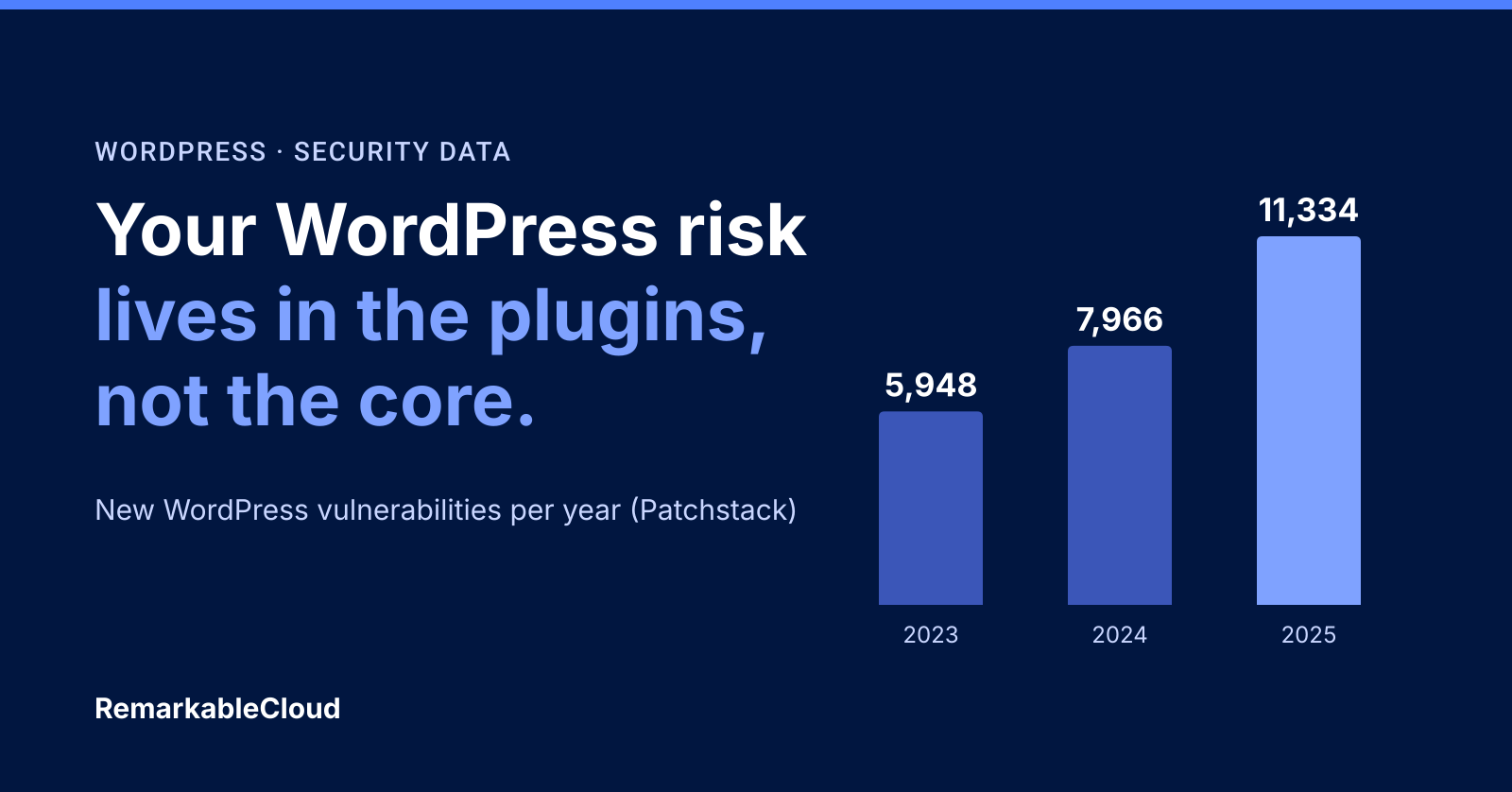
When people ask whether WordPress is secure, they usually mean WordPress core. That is the wrong question. In 2025, researchers found 11,334 new vulnerabilities in the WordPress ecosystem. Six were in core. The rest were in the plugins and themes people add on top.
This article walks through the 2025 numbers from Patchstack’s annual report, what they mean for a site you depend on, and a plugin audit you can run in about ten minutes.
A 42% jump in one year
Patchstack runs one of the main WordPress vulnerability databases and publishes a yearly report. Its count has grown every year.
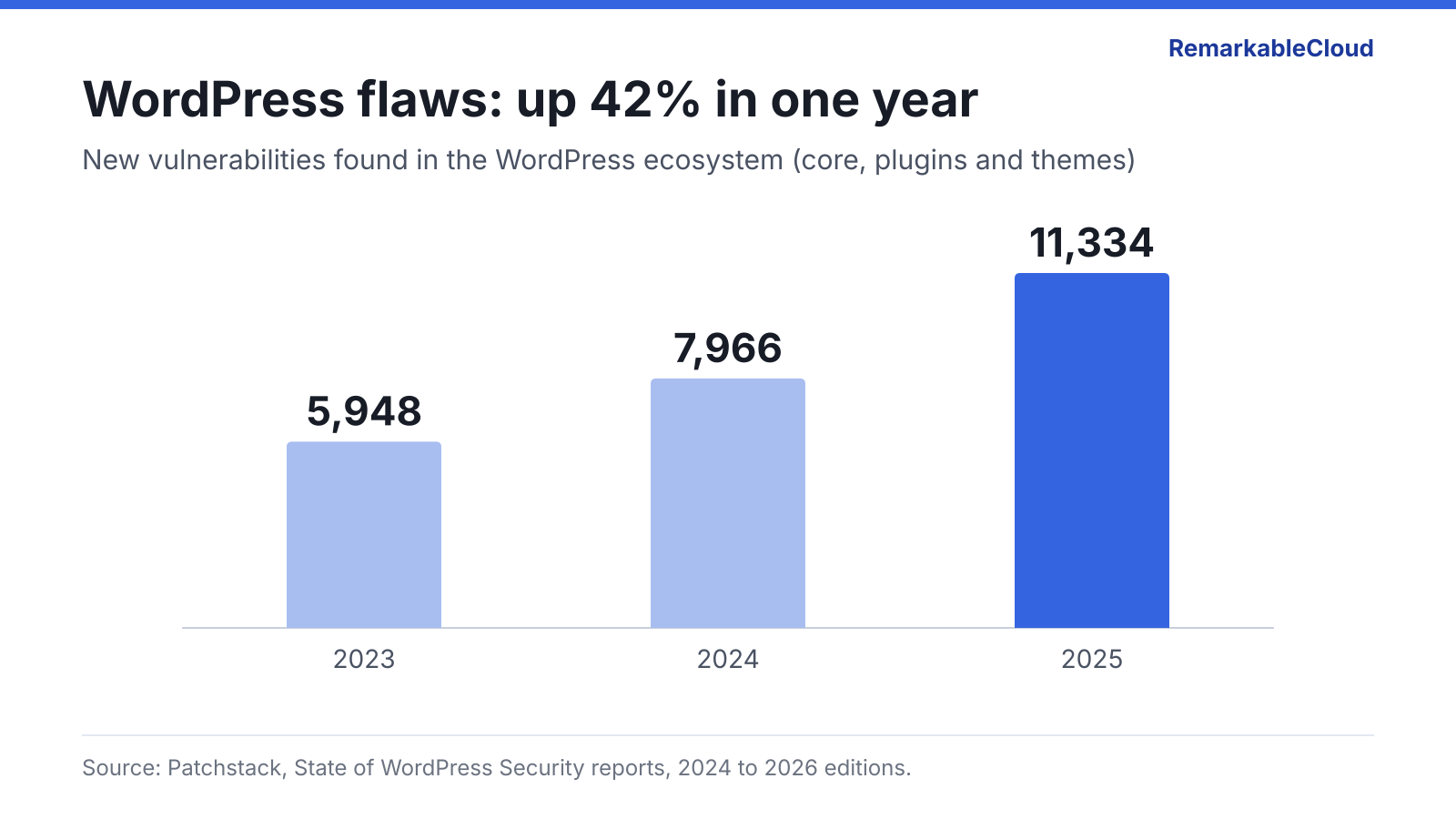
| Year | New vulnerabilities | Change |
|---|---|---|
| 2023 | 5,948 | |
| 2024 | 7,966 | +34% |
| 2025 | 11,334 | +42% |
Part of that growth is more researchers looking, helped by bug bounty programs and, increasingly, AI tools. Patchstack noted a big rise in AI-generated “slop” reports in 2025, so not every report is equally serious. Still, 1,966 of the 2025 vulnerabilities (17%) scored as high severity, and Patchstack counted more high-severity flaws in 2025 than in the two previous years combined.
The same trend shows up in the wider CVE data: WordPress security firms Patchstack and Wordfence reported more than 10,000 CVEs between them in 2025, which is why WordPress is one of the biggest drivers of the record CVE numbers we covered in our time-to-exploit article.
91% plugins, 9% themes, 6 in core
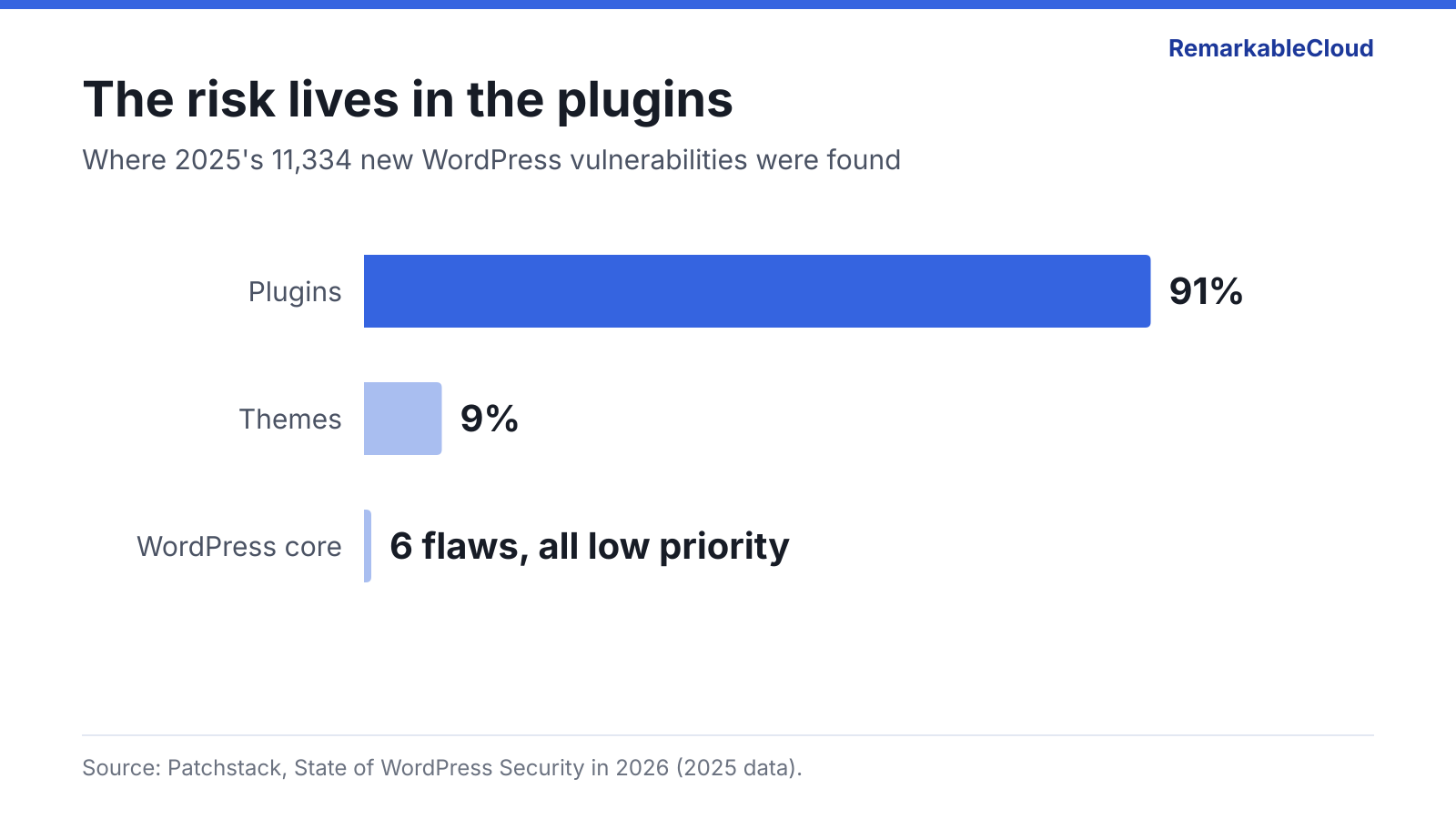
The six core vulnerabilities in 2025 were all low priority. WordPress core has a dedicated security team, a coordinated release process and automatic minor updates turned on by default. Most plugins have one developer, or a small team, and no security review at all.
Core is not immune, though. On July 17, 2026, WordPress shipped 7.0.2, 6.9.5 and 6.8.6 to fix “wp2shell”, two core flaws that chain into unauthenticated remote code execution on a default install with no plugins. Public exploit code followed within a day or two, and the WordPress team forced automatic security updates for affected sites. That was the exception: Wordfence called it the first critical unauthenticated core RCE in nearly a decade. The everyday risk is still the plugin list.
Paid plugins are not safer either. Patchstack received 1,983 valid reports for premium or freemium components (29% of the total), and 76% of the vulnerabilities in premium components were exploitable. Premium components also had three times more known exploited vulnerabilities than free ones. Paying for a plugin buys features and support, not a security audit.
When a flaw goes public, the clock runs in hours
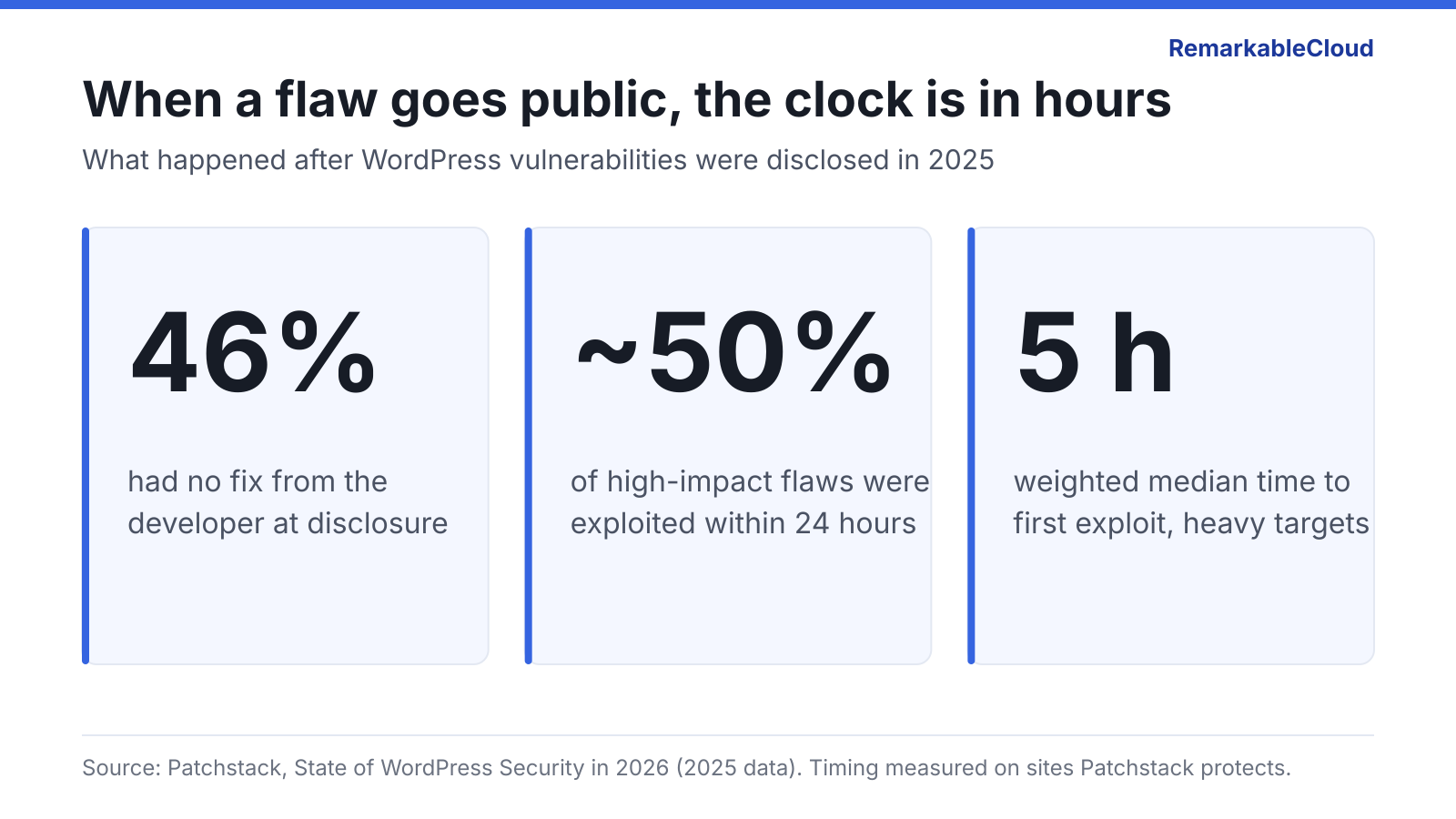
Three numbers from the report describe the race:
- 46% had no fix at disclosure. Nearly half of the vulnerabilities were made public before the developer shipped a patch. For those, updating is not an option yet; the only defenses are disabling or removing the plugin, or a firewall rule written for that specific flaw.
- About half of high-impact flaws were exploited within 24 hours. Patchstack measured this on the sites it protects, from the moment its protection rule went live to the first attack it saw.
- 5 hours. For the flaws that attackers went after heavily, the weighted median time to the first exploit attempt was five hours.
If your plugin updates run weekly, or when someone remembers, you are outside that window for most of the dangerous ones.
Generic firewalls miss most of it
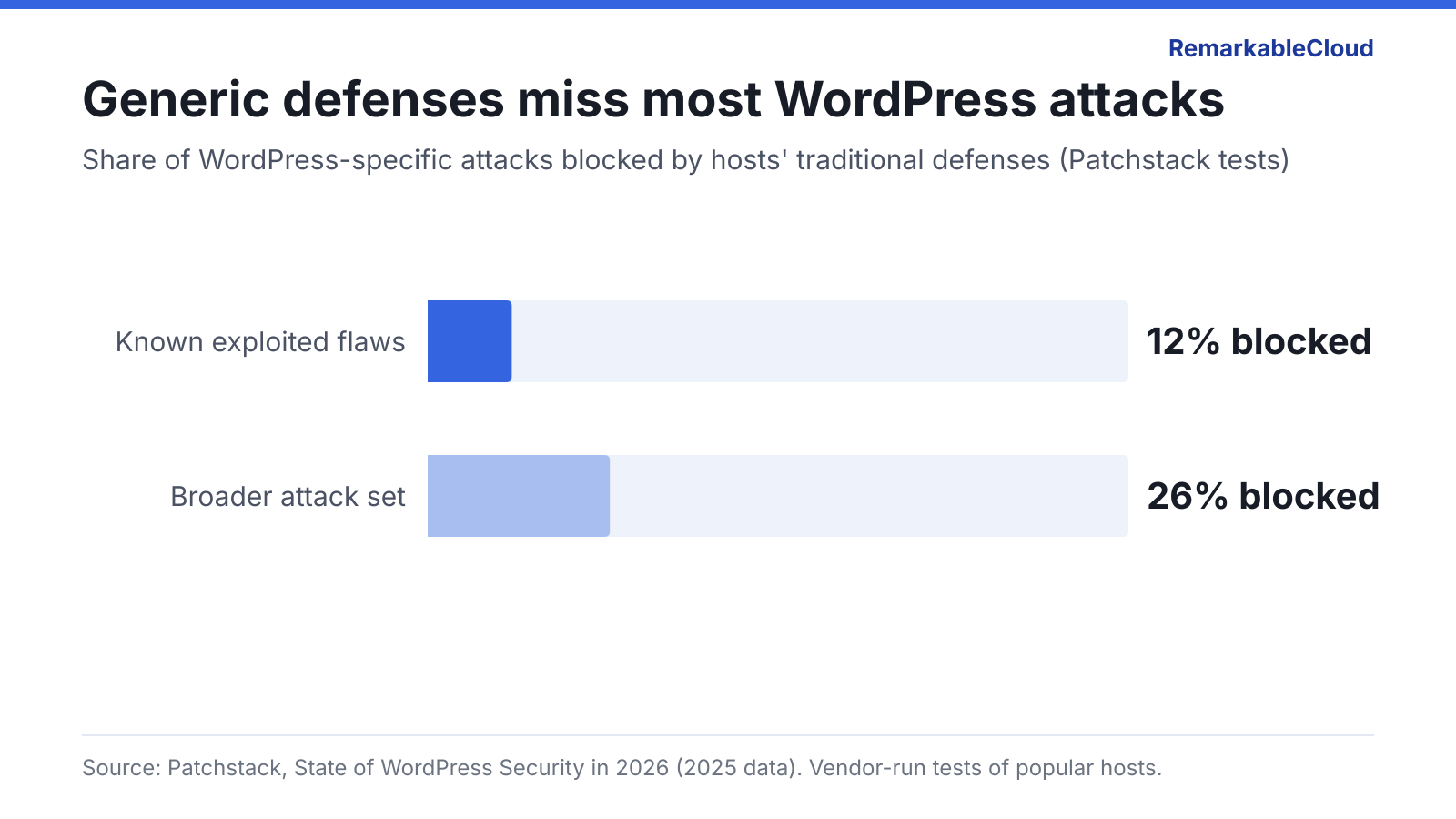
Patchstack also tested how well popular hosts’ standard defenses (network firewalls, generic web application firewalls and server security suites) stopped WordPress-specific attacks. Against known exploited WordPress vulnerabilities, they blocked 12%. Against a broader set of attacks, 26%.
The reason is simple: a generic firewall looks for generic attack patterns, like SQL injection strings. Many WordPress plugin flaws are logic errors, such as a missing permission check on an AJAX action. The request looks completely normal. Only a rule that knows that specific plugin’s bug will stop it.
Keep in mind that Patchstack sells WordPress-specific protection, so it has a stake in this finding. The test is still useful as a direction: server-level security is necessary, but it does not replace keeping the plugin layer small and current. The most exploited class of WordPress vulnerability in 2025 was broken access control, which is exactly the kind of logic flaw that generic rules miss.
The ten-minute plugin audit
You can run this on any WordPress site. If you have shell access, WP-CLI makes it fast; otherwise use the Plugins screen in the dashboard.
1. List what needs an update.
wp plugin list --update=availableAnything in this list is waiting on you. Update it, or find out why you can’t.
2. Delete what you don’t use. A deactivated plugin is still code on your server, and some flaws can be reached even when the plugin is inactive.
wp plugin list --status=inactive
wp plugin delete $(wp plugin list --status=inactive --field=name)
3. Turn on automatic updates for plugins you trust to update cleanly.
wp plugin auto-updates enable --allTake a snapshot first, and exclude any plugin that has broken your site on update before.
4. Check for abandoned plugins. Open each plugin’s page on WordPress.org. If it hasn’t been updated in a year or more, or shows “closed”, plan its replacement. An abandoned plugin never gets the fix for its next flaw.
5. Count again. Every plugin you remove is one less thing to watch. Ask of each one: would the site break, or would anyone notice, if it were gone?
How this works on a RemarkableCloud server
Every server we sell is fully managed at no extra cost. We patch the layer under WordPress: the operating system, PHP, the web server, the database and the control panel. Our agents watch for new vulnerabilities in that stack, check which servers are actually exposed, protect them before a patch exists, and roll out fixes after testing them on canary servers. The firewall and intrusion detection on each server are managed by us and fed by centralized log analysis and live threat data.
The plugin list is yours, because only you know which plugins your site needs. If you’d like a second pair of eyes on it, open a ticket and our team will go through it with you. And because every server has an automatic daily snapshot, plus any extra one you create, an update that goes wrong is a restore, not a rebuild.
If you’re running WordPress for yourself or for clients, see how our managed WordPress hosting works.
Methodology and sources
- Main source: Patchstack, “State of WordPress Security in 2026”, published February 25, 2026, covering vulnerabilities found in 2025. Totals include core, plugins and themes. 2023 and 2024 totals are from the 2024 and 2025 editions of the same report.
- Exploitation timing: measured by Patchstack from the moment its protection rule for a vulnerability went live to the first exploitation attempt it observed, across sites it protects. The 5-hour figure is a weighted median for heavily exploited vulnerabilities. Sites without that protection may see different timing.
- Hosting defenses test: Patchstack penetration tests against popular hosting providers’ standard defenses. Patchstack is a vendor of WordPress security products, so treat this test as directional.
- wp2shell: WordPress.org security release of July 17, 2026 (CVE-2026-60137 and CVE-2026-63030), with coverage from Wordfence and BleepingComputer.
- CVE totals: Jerry Gamblin’s 2025 CVE Data Review.
Sources: Patchstack, State of WordPress Security in 2026 · WordPress 7.0.2 release · Wordfence on wp2shell · BleepingComputer on wp2shell exploits